Showing posts with label wpforms. Show all posts

Tuesday, August 1, 2023

Set Up and Use reCAPTCHA in WPForms

Adding reCAPTCHA allows you to use human verification technology in your forms, which can decrease the number of spam submissions you receive.

Generating reCAPTCHA Keys in Google

To get started, you’ll need to log into your WordPress site and go to WPForms » Settings. Then, click on the CAPTCHA tab. To configure Google reCAPTCHA, select the reCAPTCHA option. Next, you’ll need to set up reCAPTCHA in your Google account to generate the required keys. To start this setup process, you’ll need to open Google’s reCAPTCHA admin console.

Adding reCAPTCHA to a Form. Now that you’ve set up your reCAPTCHA keys, you’ll be able to add reCAPTCHA to any of your WPForms.  To do this, go ahead and create a new form or edit an existing form. After you’ve opened the form builder, look under the Standard Fields section and click on the reCAPTCHA field. 

Alternatively, you can always enable reCAPTCHA by going to Settings » Spam Protection and Security in the form builder.


Friday, April 28, 2023

10 Best WordPress Plugins in 2023 - 4 WPForms

Drag & Drop WordPress Form Builder - Contact Form by WPForms – Drag & Drop Form Builder for WordPress

 WPForms, a drag & drop WordPress form builder that’s EASY and POWERFUL.

The WPForms Challenge guides you through creating your first form in under 5 minutes. We walk you through using the form builder all the way to adding a form to a page on your site! WPForms includes integrations for popular page builders

WPForms is a 100% mobile responsive contact form solution, so your contact forms will always look great on all devices (mobile, tablet, laptop, and desktop).

WPForms’ contact forms are also highly optimized for web and server performance because we understand the importance of speed when it comes to SEO, marketing, and conversion. We can honestly say that WPForms is one of the fastest WordPress contact form builder plugins in the world.

Tuesday, August 2, 2022

Wordpress WPForms: a drag and drop form builder

Wordpress WPForms makes it easy for you to create:

Surveys,
Payment forms, 
Contact forms,
Online order forms, 
Email subscription forms, 
Polls, and
Surveys.

WPForms integrates with many payment and marketing platforms. WPForms has options that can help you customize WordPress user registration forms and login pages. 

https://wordpress.org/plugins/wpforms-lite/


Tuesday, July 5, 2022

20+ Best WordPress Plugins in 2022

1. WPForms Lite (Free)
2. All in One SEO (Free)
3. WP Mail SMTP (Free)

WP Mail SMTP by WPForms 

WORDPRESS MAIL SMTP PLUGIN
Having problems with your WordPress site not sending emails? You’re not alone. Over 2 million websites use WP Mail SMTP to send their emails reliably.

Our goal is to make email deliverability easy and reliable. We want to ensure your emails reach the inbox.

WP Mail SMTP fixes your email deliverability by reconfiguring WordPress to use a proper SMTP provider when sending emails.

Best of all, our easy-to-use Setup Wizard and detailed documentation guide you through the process.

WHAT IS SMTP?
SMTP (Simple Mail Transfer Protocol) is an industry standard for sending emails. Proper SMTP configuration helps increase email deliverability by using authentication.


All in One SEO for WordPress is the original WordPress SEO plugin started in 2007. Over 3 million smart website owners use AIOSEO to properly setup WordPress SEO, so their websites can rank higher in search engines.

We believe you shouldn’t have to hire an SEO expert or developer to properly setup WordPress SEO. That’s why we built AIOSEO as the most comprehensive WordPress SEO plugin and marketing toolkit, so you can improve your website’s SEO rankings and uncover new SEO growth opportunities in less than 10 minutes.

At All in One SEO (AIOSEO), user experience is our #1 priority. From website SEO setup to ongoing SEO optimization, our team of SEO experts have created easy to follow SEO workflows that will help you outrank your competitors in search results. This is why many industry leaders award AIOSEO as the most beginner friendly WordPress SEO plugin that’s both EASY and POWERFUL!


WPForms allows you to create beautiful contact forms, feedback form, subscription forms, payment forms, and other types of forms for your site in minutes, not hours!

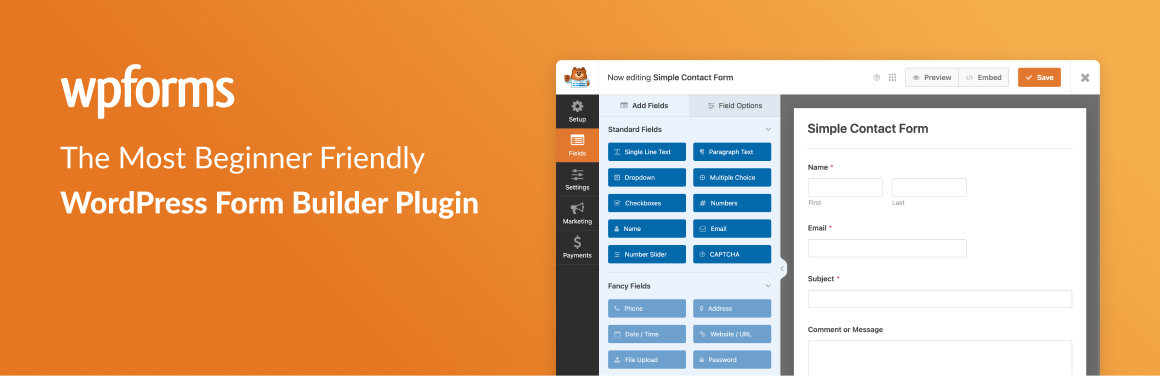
At WPForms, user experience is our #1 priority. Our pre-built form templates and workflows make WPForms the most beginner friendly contact form plugin on the market.

Tuesday, April 27, 2021

TOP 3 Wordpress contact us plug for web form

1. Contact Form by WPForms – Drag & Drop Form Builder for WordPress

WPForms allows you to create beautiful contact forms, feedback form, subscription forms, payment forms, and other types of forms for your site in minutes, not hours!


 2. Ninja Forms Contact Form – The Drag and Drop Form Builder for WordPress

Use Ninja Forms to create beautiful, user friendly WordPress forms that will make you feel like a professional web developer!


3. Contact Form 7

Contact Form 7 can manage multiple contact forms, plus you can customize the form and the mail contents flexibly with simple markup. The form supports Ajax-powered submitting, CAPTCHA, Akismet spam filtering and so on.