Showing posts with label plugin. Show all posts

Wednesday, April 26, 2023

10 Best WordPress Plugins in 2023 – W3 Total Cache

 W3 Total Cache (W3TC) improves the SEO, Core Web Vitals and overall user experience of your site by increasing website performance and reducing load times by leveraging features like content delivery network (CDN) integration and the latest best practices.


W3TC is the only web host agnostic Web Performance Optimization (WPO) framework for WordPress trusted by millions of publishers, web developers, and web hosts worldwide for more than a decade. It is the total performance solution for optimizing WordPress Websites.

Friday, July 1, 2022

Step by Step Guide to Add PAYME payment in WooCommerce

Adding Direct Bank Transfer - PAYME  payment in WooCommerce

Here is the steps to add direct bank transfer to WooCommerce:

Step 0: Please visit https://payme.hsbc.com.hk/zh-hk/sign-up for sign up PAYME service.

Step 1: Go to WooCommerce>>Payments and enable direct bank transfer.

Step 2: Click on Set up and then proceed to settings payment gateway in WooCommerce

Here are some options in account details.

Enable/Disable – Enable to use the option. 

Title – Name to be shown during checkout. Please type in "PAYME".

Description – Text information to be shown to customers

Instructions – Explain to make the payment to your payme account. Please upload your PAYME QR Code here.

It is completed after save the settings.

Step 3: Check the payment option available on the Checkout page.

Once the order is processed, the bank details are provided along with the order ID.


Thursday, June 16, 2022

Easy Ways to Speed Up Your WordPress Site in 2022 by WP Super Cache

There are many way to speed up your Wordpress Website like delete unused plugins, install high-quality plugins only, use a lightweight theme and Optimize images, etc

But the easiest way to Speed Up your wordPress site in by Wordpress Plugin - WP Super Cache. This plugin generates static html files from your dynamic WordPress blog. After a html file is generated your webserver will serve that file instead of processing the comparatively heavier and more expensive WordPress PHP scripts. 99% of your visitors will be served static html files. One cached file can be served thousands of times. Other visitors will be served custom cached files tailored to their visit. If they are logged in, or have left comments those details will be displayed and cached for them.
 

Tuesday, March 22, 2022

BEST WORDPRESS AND WOOCOMMERCE SEO PLUGIN

 All in One SEO for WordPress is the original WordPress SEO plugin started in 2007. Over 3 million smart website owners use AIOSEO to properly setup WordPress SEO, so their websites can rank higher in search engines.

We believe you shouldn’t have to hire an SEO expert or developer to properly setup WordPress SEO. That’s why we built AIOSEO as the most comprehensive WordPress SEO plugin and marketing toolkit, so you can improve your website’s SEO rankings and uncover new SEO growth opportunities in less than 10 minutes.

At All in One SEO (AIOSEO), user experience is our #1 priority. From website SEO setup to ongoing SEO optimization, our team of SEO experts have created easy to follow SEO workflows that will help you outrank your competitors in search results. This is why many industry leaders award AIOSEO as the most beginner friendly WordPress SEO plugin that’s both EASY and POWERFUL!

Contact us and schedule demo

Wednesday, April 28, 2021

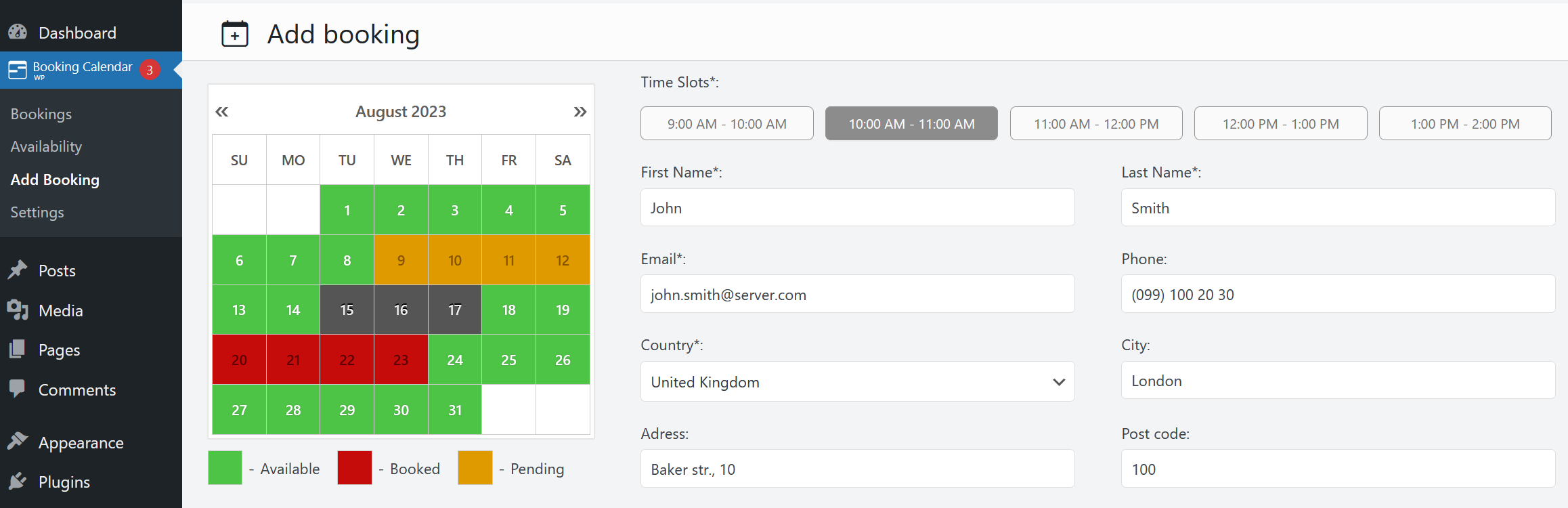
WordPress online booking calendar plugin free

THE ORIGINAL “BOOKING CALENDAR” PLUGIN IS THE 1ST BOOKING SYSTEM FOR WORDPRESS, DOWNLOADED OVER 1,830,000 TIMES SINCE 2009.

Booking Calendar plugin enable awesome booking system for your site. Simply show availability and receive bookings for your property or service in easy to use booking system with clean and smooth interface.

https://wordpress.org/plugins/booking/


Wednesday, December 16, 2020

2 simple steps to get ready Woocommerce + Payme payment checkout on 2020 and 2021 Wordpress Plugin

2 Simple steps that every designer / developer can manage:

Step 1: Install woocommerce at official website (Sell online with the fully customizable, open source eCommerce platform built for WordPress.) here:  https://woocommerce.com/

Step 2: Application of PayMe service (Hong Kong's social payment app, will change the way you and your friends send money) here:  https://payme.hsbc.com.hk/